
LottoMart Deposits – How to Fund Your Account Easily in the UK
Funding an account on LottoMart follows a clear and controlled process. LottoMart deposit transactions rely on recognised UK banking tools and digital wallets, with fast balance updates after confirmation. Security checks apply to every payment, while limits remain visible before approval. Thanks to structured cashier tools, deposits support casino games, live tables, lottery betting, and scratch cards without unnecessary delays.
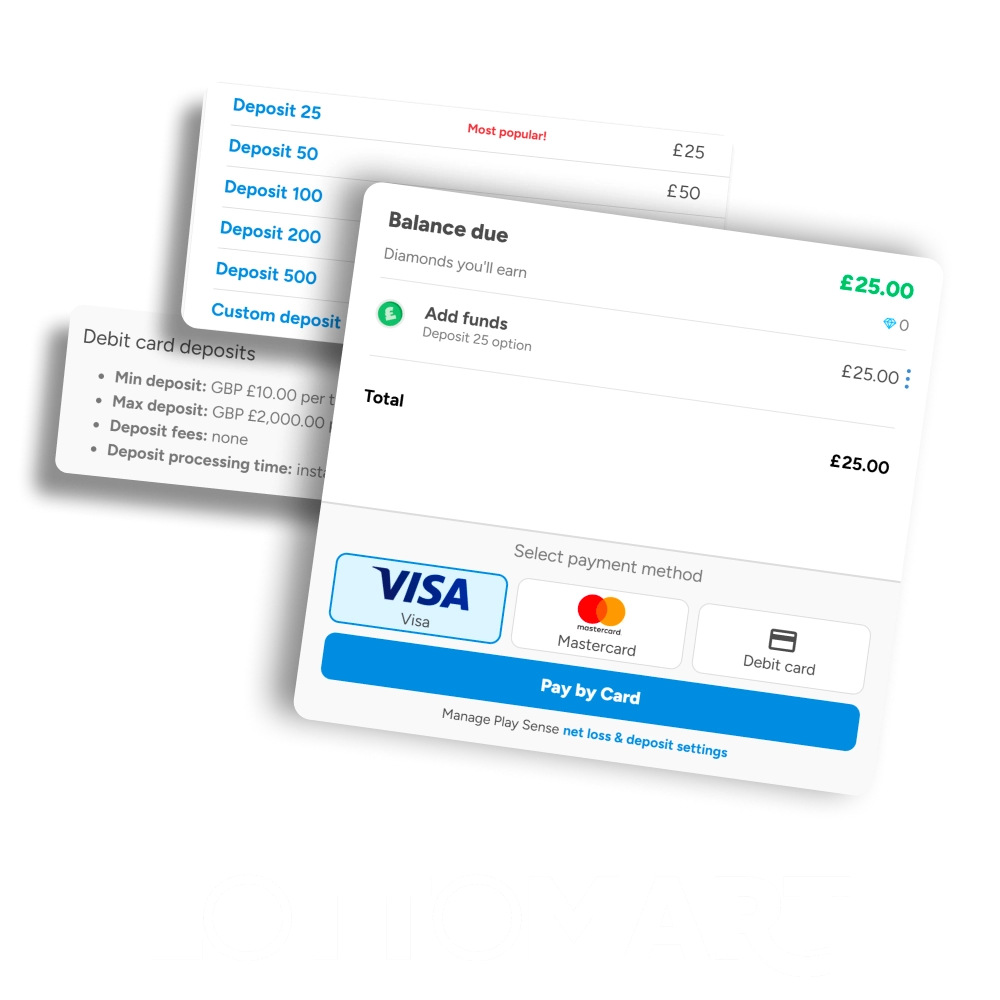
Available Deposit Methods on LottoMart
LottoMart deposit methods support common UK payment systems and banks. Each option includes defined limits, instant balance updates in most cases, and no added fees during processing. LottoMart payment methods appear inside the cashier based on account location and status.
| Payment Method | Minimum Deposit | Maximum Deposit | Processing Speed | Fees | Currency |
|---|---|---|---|---|---|
| Visa | £10 | £5,000 | Instant | No | GBP |
| Mastercard | £10 | £5,000 | Instant | No | GBP |
| PayPal | £10 | £3,000 | Instant | No | GBP |
| Skrill | £10 | £4,000 | Instant | No | GBP |
| Neteller | £10 | £4,000 | Instant | No | GBP |
| Paysafecard | £10 | £250 | Instant | No | GBP |
| Bank Transfer | £20 | £10,000 | 1–3 business days | No | GBP |
The LottoMart minimum deposit starts from £10 for most methods.
How to Make a Deposit at LottoMart
Account funding completes inside the personal area after login. Deposit confirmation always shows limits and payment details before final approval.
Log in
Account access requires the registered email and password used during registration.
Open cashier
The balance section provides direct access to deposit and withdrawal tools.
Choose payment method
Available options appear based on region, currency, and verification level.
Enter deposit amount
The entered sum must match the displayed minimum and maximum limits.
Confirm transaction
Final approval redirects to the selected provider for authorisation.
How to Make a Deposit at LottoMart via Mobile App
Mobile deposits follow the same logic as desktop access, with a layout adapted for smaller screens and touch navigation.
Open account menu
The menu icon leads to balance and payment controls inside the app.
Select deposit
The deposit option opens supported mobile payment services.
Pick a payment service
Wallets and cards optimised for mobile use appear first.
Enter amount
Deposit limits remain visible during entry.
Approve payment
Provider confirmation updates the balance shortly after approval.
Deposit Bonuses and Promotions
Deposits may unlock account rewards depending on eligibility. New accounts often gain access to welcome incentives after the first successful payment, while regular activity can trigger additional rewards.
- Welcome bonuses linked to the first deposit
- Prize Wheel access after qualifying payments
- Scratch card rewards tied to purchases
- Diamond Club points from cash play
- Seasonal promotions with a limited duration
Bonus rules depend on selected products and must be reviewed before use.
Verification and Security Requirements
Payment protection relies on identity checks and regulatory controls. Verification helps secure funds and supports responsible account use. Certain limits may apply until checks are complete.
- Identity document confirmation
- Address verification through official records
- Age confirmation against legal limits
- Payment ownership checks
- Source of funds review when required
Verification requests appear inside the account area.
Common Deposit Problems and How to Fix Them
Account top-ups usually process quickly, but delays or declines can still occur. Payment systems, banks, or security checks may interrupt a transaction. Below are common deposit issues with clear explanations and practical ways to resolve them.
- Card payment declined by the bank: Some banks block gambling transactions by default. Online banking settings or direct contact with the bank usually removes the restriction for future payments.
- Deposit shows a pending status: Payment providers may need extra time for confirmation. A short waiting period often resolves the issue automatically.
- Entered amount outside allowed limits: Each payment option follows fixed minimum and maximum values. Adjusting the amount to match the displayed limits enables the transaction to proceed.
- E-wallet option not available: Wallet access may depend on verification status or regional rules. Completing pending checks or choosing another payment option can help.
- Incorrect payment details submitted: Card numbers, expiry dates, or wallet credentials must match registered information exactly before retrying the deposit.
- Account verification incomplete: Pending document checks can restrict cashier access. Uploading the required documents unlocks full deposit functionality.
- Several failed attempts in a short time: Security systems may block repeated attempts. A brief pause followed by support contact usually clears the issue.
If deposits still fail after these checks, the support team can review the transaction and guide the next steps.
FAQ
What is the LottoMart minimum deposit?
The LottoMart minimum deposit usually starts from £10.
How fast does a LottoMart deposit appear?
Most LottoMart deposit transactions reflect instantly.
Are there fees for LottoMart payment methods?
LottoMart payment methods normally process without fees.
Which LottoMart deposit methods work on mobile?
Cards and digital wallets support mobile deposits.
What should I do if a deposit fails?
Customer support can review the payment status.
Updated: