
LottoMart Login & Registration – Get Instant Access to Your Account
Access to the LottoMart platform starts with a quick registration and secure login process. Account creation unlocks slots, live casino titles, lotto betting, and scratch cards under one profile. Registration follows regulated standards, supports clear limits, and keeps personal data protected. New accounts also unlock access to the Prize Wheel bonus after qualification.
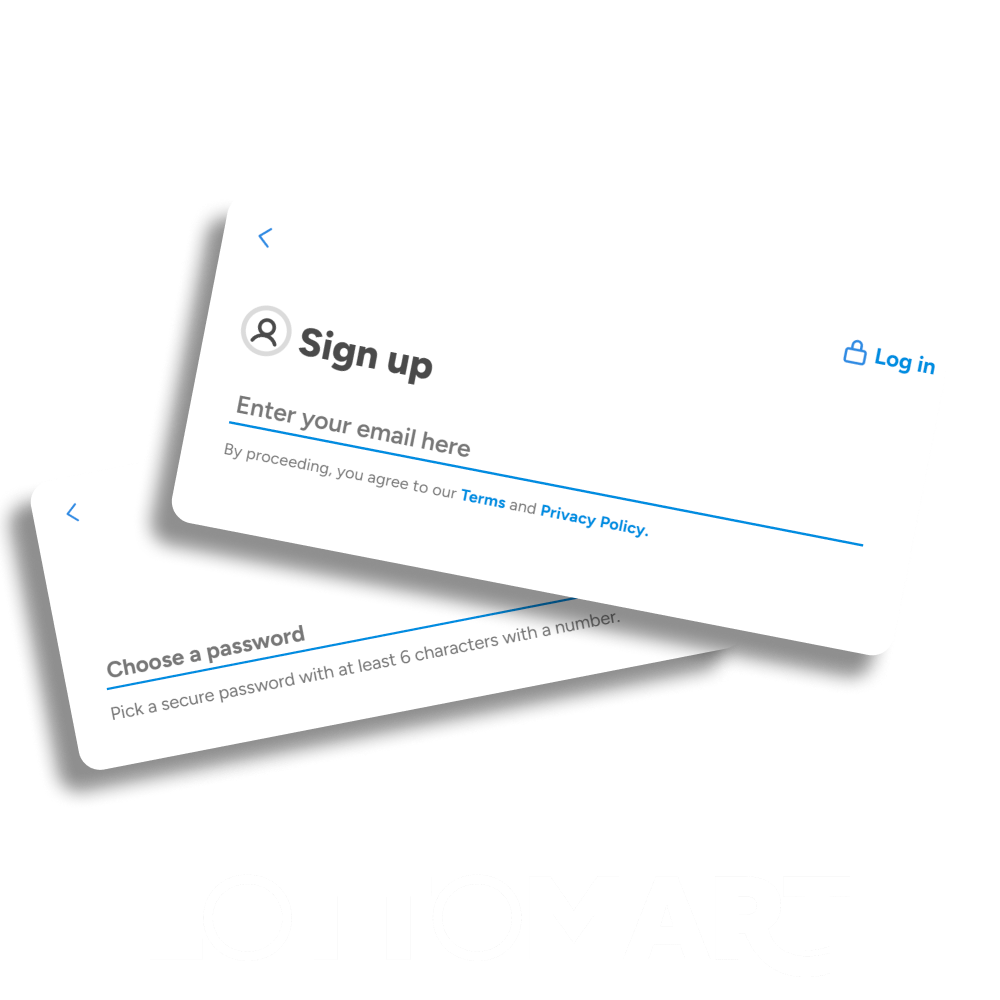
How to Sign Up at LottoMart – Step-by-Step Guide
LottoMart registration takes a few minutes and needs basic personal details, contact info, age confirmation, and a starting limit.
Open the Join page
Tap Join on the homepage, enter an active email address, then select I agree to continue.
Set a secure password
Create a strong password for account access, then follow the on-screen email confirmation prompt to proceed.
Add personal details
Enter first name, last name, date of birth, and gender, matching the details on official documents.
Enter address information
Fill in address details or postcode, then double-check spelling and numbers to avoid future verification issues.
Confirm a mobile number
Type a valid mobile number and complete any phone check shown during setup for account security.
Choose preferences and limits
Select marketing preferences, then set an initial financial limit that fits the planned budget for play.
Finish account setup
Review all fields for accuracy, then press Complete registration to unlock full access to the platform.
Advantages of Having a LottoMart Account
Account registration opens access to bonuses linked to slots, scratch cards, and lotto betting. New accounts qualify for rewards that add extra play value at the start and during regular activity.
- Prize Wheel entry with up to 500 free spins
- Scratch card bonus with added free spins
- Access to Diamond Club reward points
- Eligibility for app-only promotions
- Entry to the UK and international lotto betting
- Account tools for limits and balance control
Bonus terms apply, and eligibility depends on account status and location.
LottoMart Login – Safe and Simple Access
Account access uses the email and password set during the LottoMart register process. The login process stays short and includes basic security checks to protect account data and balances. Access works the same on desktop, mobile site, and app.
- Open the LottoMart homepage or app
- Select the Log In option
- Enter the registered email address
- Press Next to continue
- Enter the account password
- Confirm access to open the account
How to Create a LottoMart Account via Mobile App
LottoMart sign-up in the mobile app takes a few minutes and uses basic personal details. An email, password, phone number, and budget limit help complete the setup and unlock full access.
Open the app and tap Join
Find the Join button on the home screen, then start the sign-up flow from the main page.
Enter an active email and accept the terms
Type a real email address, tick “I agree”, then continue to the next registration screen.
Create a password and confirm email details
Set a strong password for future logins, then follow the email confirmation step if requested.
Add personal details shown on documents
Fill in first name, last name, date of birth, and gender so account checks match official records.
Enter the address and mobile number for checks
Add postcode or full address, then type a valid mobile number for account verification messages.
Choose marketing preferences and set a limit
Select contact options for updates, then set an initial financial limit that fits a personal budget.
Review details and complete registration
Check all fields for mistakes, then press Complete registration to finish and open full account access.
Verification & KYC Process on LottoMart
Verification helps confirm identity, age, and payment details before full account access. Some checks run at sign-up, while others appear later, before withdrawals or higher limits.
Open the Verification area in account settings
Find the verification section inside the profile menu, then review which checks are pending for the account.
Confirm personal details match official documents
Check the name, date of birth, and address fields, then correct any mismatches before uploading files.
Upload identity documents for identity and age checks
Send a clear photo of a passport or driving licence, with all corners visible and text readable.
Provide address proof when requested
Upload a recent utility bill or bank statement that shows the same address and full name.
Complete payment and source-of-funds checks if required
Share extra documents, such as bank statements or payslips, if higher limits or large withdrawals trigger review.
Wait for review and respond to follow-up requests
Track the status in the verification area, then provide any extra details if the support team asks.
Need Help with Login or Registration?
Support assistance stays available if access issues appear during sign-up, login, or verification checks. Help covers problems with email confirmation, password reset, document upload, or blocked actions after security reviews. Contact options stay open through live chat inside the platform or by email at [email protected]. Messages are received for review by trained staff who guide each step and explain required actions clearly. Account details remain protected during every request, and guidance follows platform rules and UK regulations at all times.
How to Delete Your LottoMart Account
Account closure remains available for users who decide to stop using the platform. The process runs through customer support and follows security and regulatory checks to protect account data and funds.
- Open the app or website support section
- Choose live chat or email contact
- Request permanent account closure
- Confirm identity and account details
- Withdraw the remaining balance if required
- Receive confirmation after review
Once the request is approved, account access ends, and stored data follows legal retention rules.
FAQ
Is it free to register at LottoMart?
Account registration does not require any payment. Creating an account only involves entering personal details, confirming age, and setting basic limits. Deposits stay optional and can be completed later.
How can I log in to my LottoMart account?
Login uses the email address and password chosen during registration. Open the website or app, press Log In, enter the email, confirm, then type the password to access the account.
Can I log in from my mobile phone?
Mobile access stays available through both the LottoMart app and the mobile website. Login details remain the same, and account functions match those on desktop devices.
What should I do if I forgot my password?
Password recovery is available through the Log In page. Select the reset option, enter the registered email address, and follow the instructions sent by email.
Can I have more than one account?
Only one account per person is permitted. Duplicate accounts can lead to restrictions, closure, and voided activity under platform rules.
Updated: